
Appearance
Storing quizzes
Quizzes in CubeQuiz are stored locally on your computer, in one of two places:
- 🌐 In the browser: where new quizzes and curated quizzes go.
- 🖥️ As a file on your computer: a
.cubequizfile.
The icon in front of a quiz on the homepage shows where it is.
In the browser
A quiz in the browser stays there between visits, so for normal use this is fine. But it is only available in this browser, and it is lost when:
- you use an incognito (private) window: everything is deleted when you close it.
- the browser's data is cleared, by you, a browser setting or a cleaning app.
That is why the editor shows a yellow bar for these quizzes.
As a file
A quiz file is safe from all of this. You can back it up, send it to someone or use it on another computer. The file holds the whole quiz, images included.
- Move to file… in the ⋮ menu of a quiz saves it as a file. From then on, the quiz lives in that file and the editor saves to it.
- Link file… (the link button above your quizzes) adds a quiz file to your list, for example one you received.
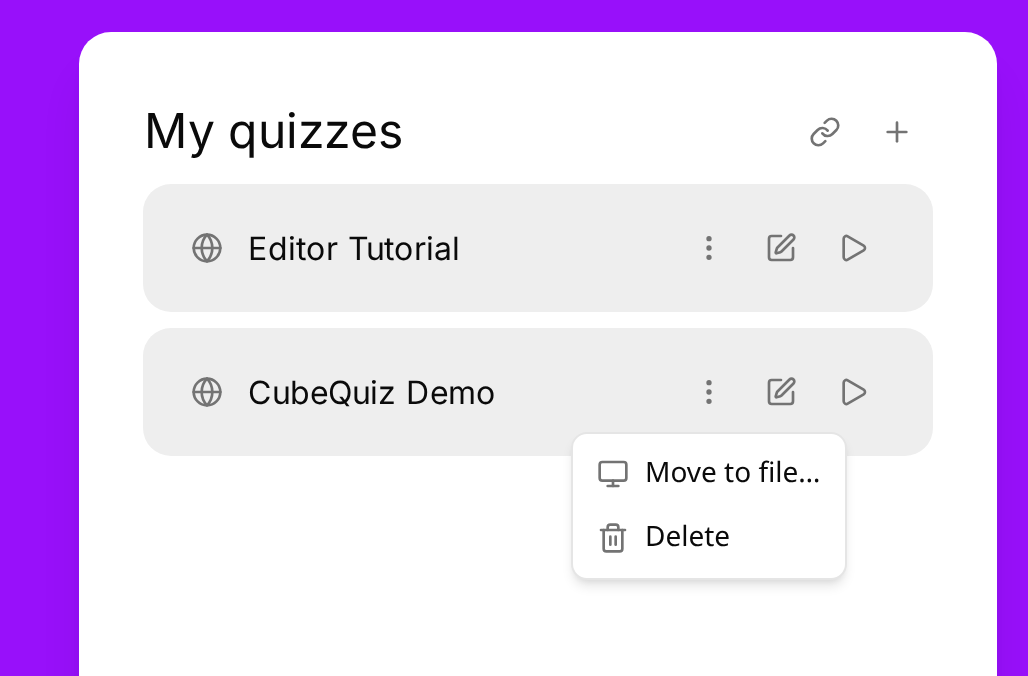
Now and then your browser asks whether CubeQuiz may open or edit the file. Allow it, or the quiz cannot be opened.
If you move or rename the file, CubeQuiz can no longer find it and tells you so. Put it back, or link it again.
⚠️ Quiz files only work in Google Chrome and Microsoft Edge.
Removing a quiz
- Delete removes a quiz that is stored in the browser. This cannot be undone.
- Remove from list takes a quiz file off your list. The file itself stays on your computer.
- Move to browser storage puts a quiz file back into the browser. The file stays on your computer as well.
Privacy
Your quiz is private. I cannot see your quiz. Even if you would trust me with your data, somebody can still steal it from me.