
Appearance
The Player
To play a quiz, click the play icon on any quiz listed on the homepage. This will open the CubeQuiz Player, which displays a sequence of interactive pages. These pages can be questions, slides, videos, or other content types.
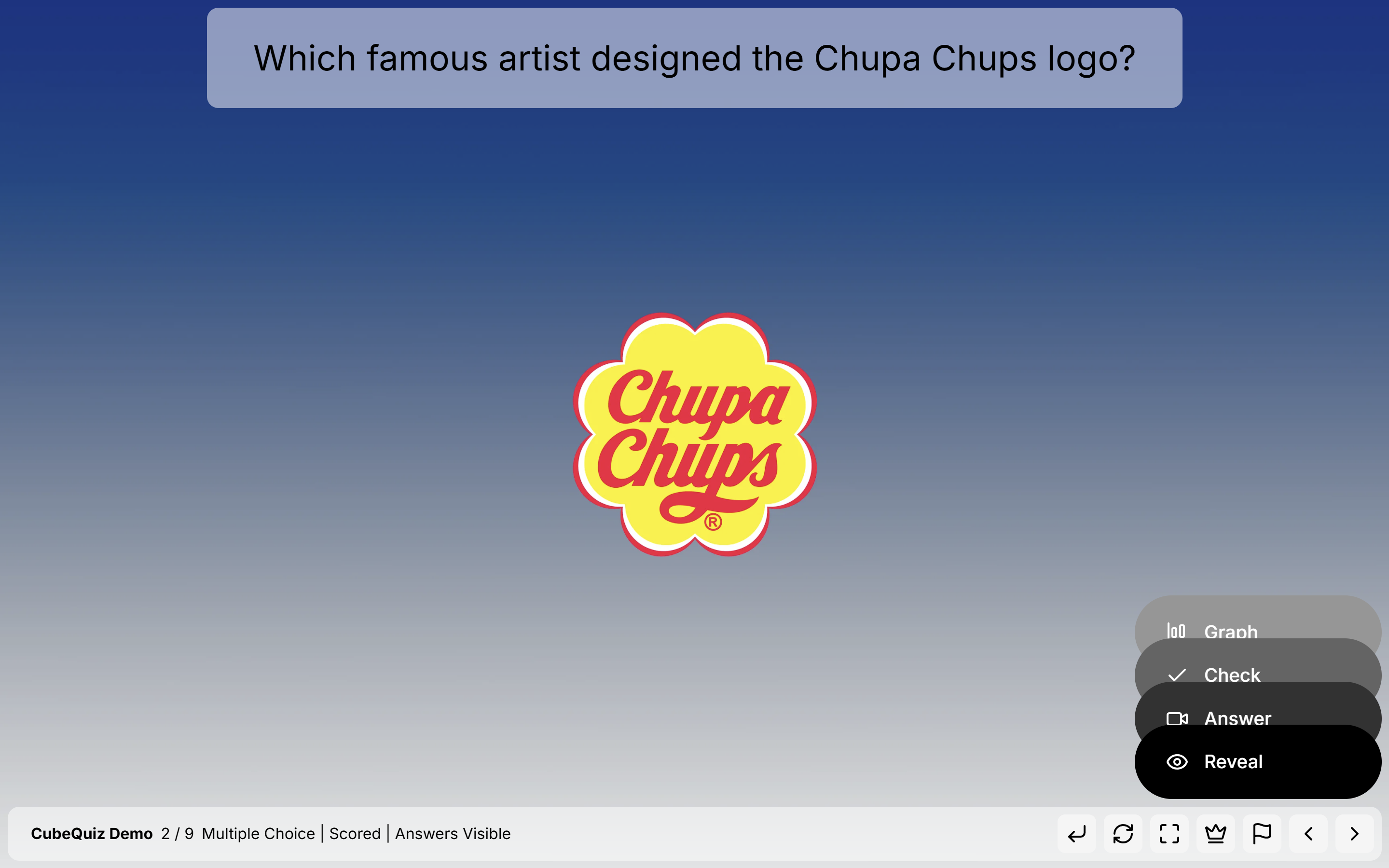
Each question page features a stack of control buttons in the bottom-right corner that guide the answering process.
Flow Controls
The buttons on question pages are designed to guide the flow of interaction. They help clearly distinguish the steps required to answer a question, such as revealing hints, submitting answers, or showing correct results.
Scoreboard
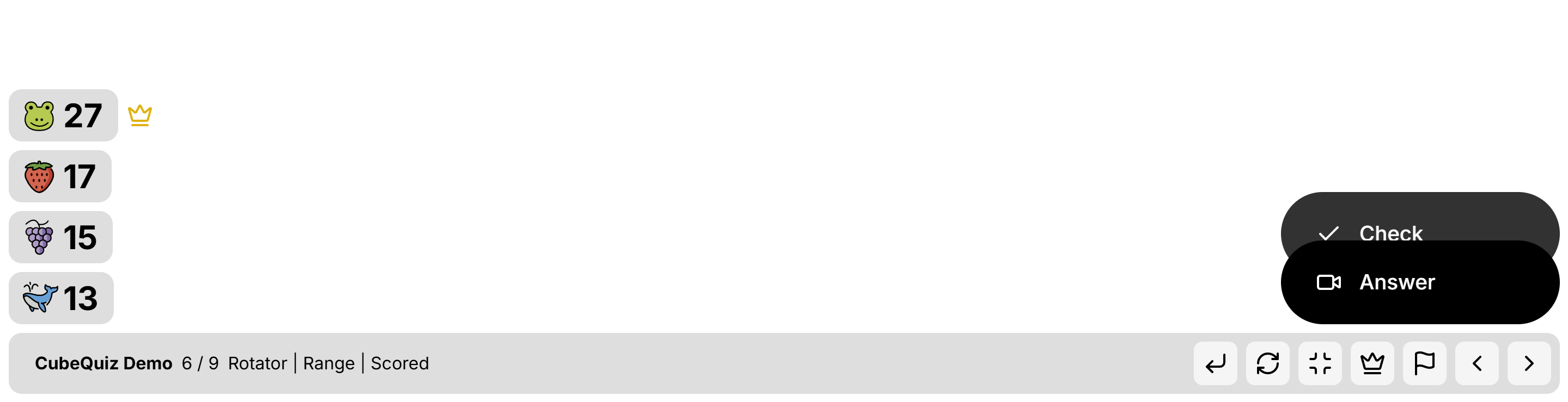
The CubeQuiz Player automatically tracks and stores player scores. These scores are persistent, meaning:
- If you close the quiz or accidentally exit the app, scores are saved.
- If you start a different quiz, the same scores will carry over.
- This makes it easy to run multiple quizzes in a row without losing progress.
You can manually reset the scores from the homepage. Additionally, by hovering over the scoreboard within the player, you can adjust scores manually for each player.
Navbar
The navbar at the bottom of the player provides access to all high-level player controls.
Left side: Displays key information about the current quiz:
- Quiz title
- Current slide number
- Type of page (e.g., question, slide, video)
- Specific page details
Right side: Includes essential player controls:
- Navigate between pages
- Restart the current question
- Toggle fullscreen mode
- Open the scoreboard
- Jump to the results page
Question Formats
CubeQuiz supports a variety of question types:
- Multichoice: Choose one answer from options A, B, C, or D
- Rotator: Guess a numerical value using a dial
- Category: Drag and drop items into the correct categories
- Sorter: Sort cubes into the correct sequence
- Pairs (in development): Match related items together
Other Page Types
In addition to questions, CubeQuiz also includes non-question pages for context or instruction:
- Slide: Display a title, explanatory text, and image
- Video: Embed and play a YouTube video