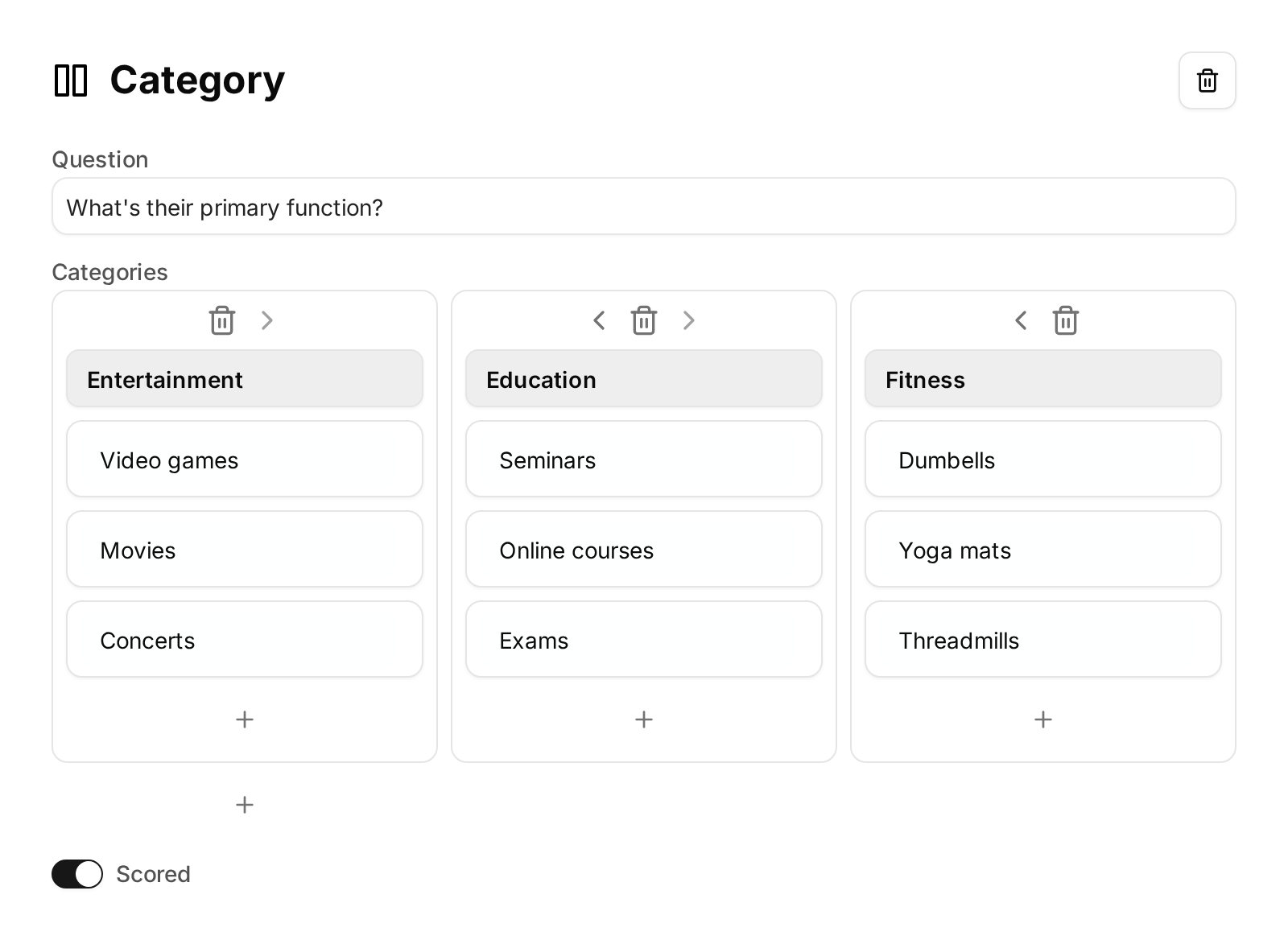
Appearance
Category
In a Category question, every team gets an item and places it in the right category. The categories are columns on the screen, and the teams hold their cube in the column where they think their item belongs.
Game Flow
🧠 Thinking Step
The question and the categories are shown. The camera is still off.
📷 Answering Step
The camera turns on. Every cube the camera sees gets a random item, shown on screen where the cube is. The teams move their cube to the column of the right category.
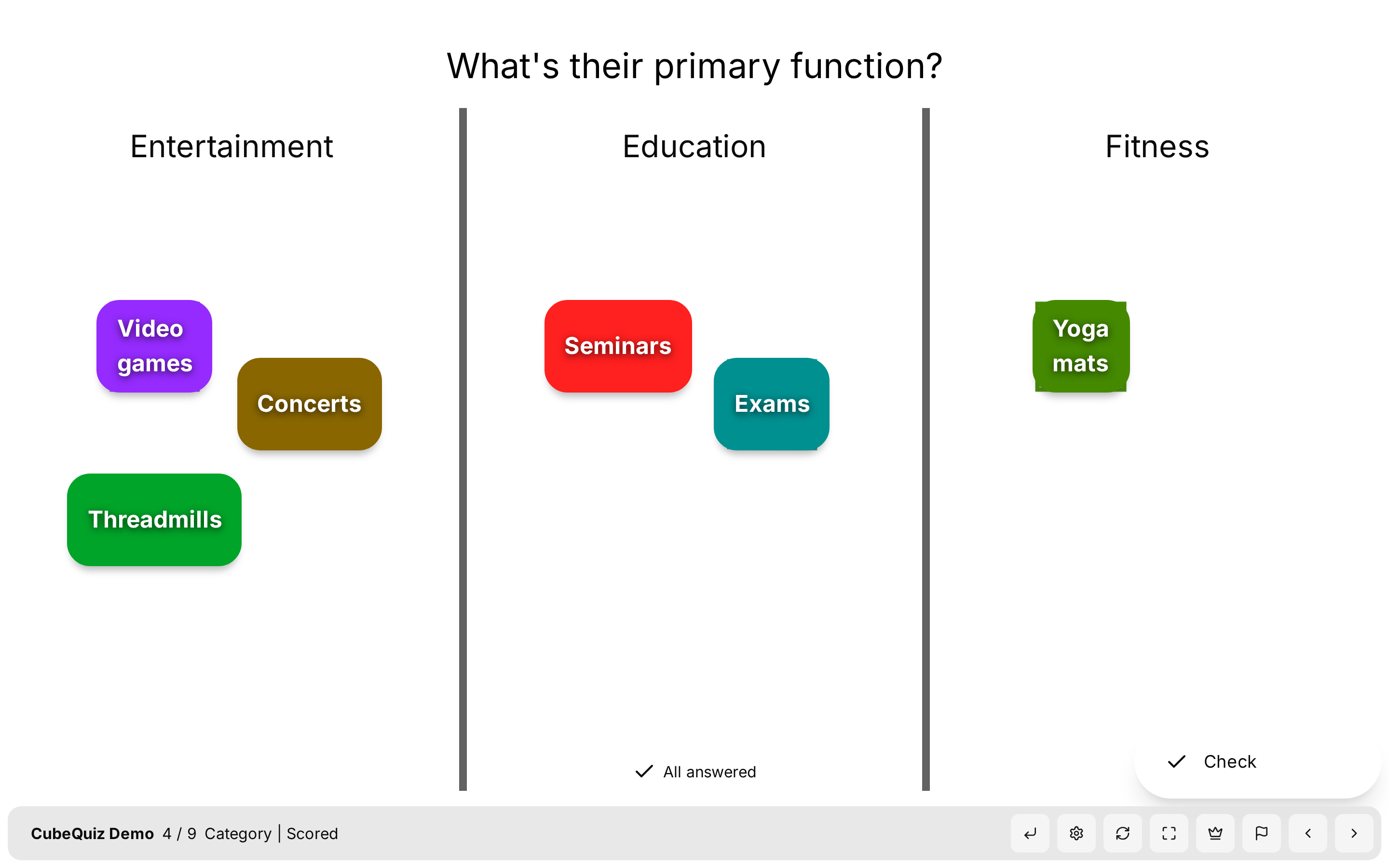
✅ Results Step
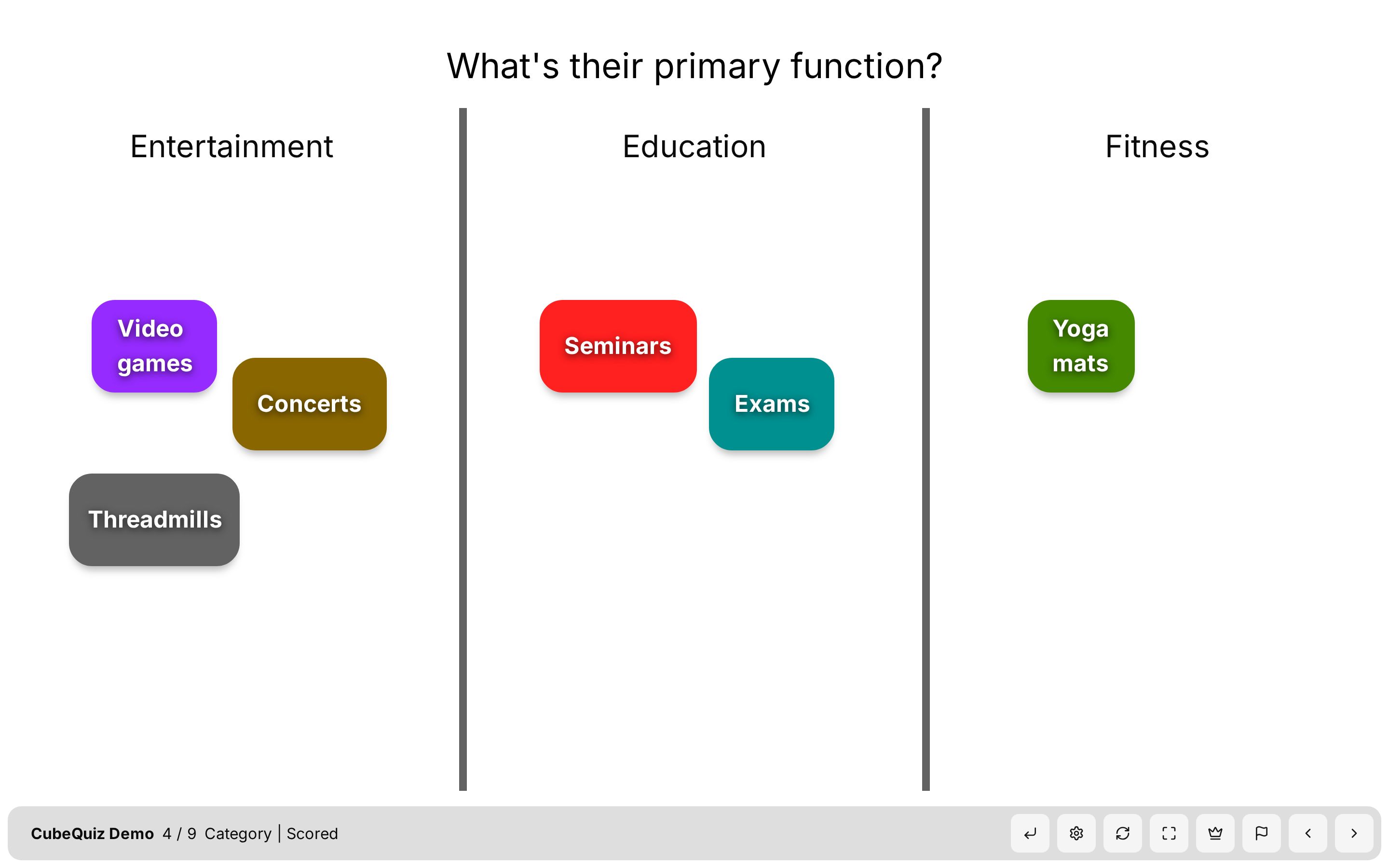
After pressing Check, items in the right column keep their team colour and wrong ones turn grey. If the question is scored, every team in the right column gets a point.
Editor & Customization Options
- Question
- Categories – Up to 8 categories, each with a name and its items. Move a category with the arrows.
- Items – A text and, if you like, a picture: hover over an item and click the picture icon. At most 32 items in total.
- Scored – Toggle whether the question gives points.
💡 Every team gets one item, so add at least as many items as there are teams.